





Play Police Drive Online for Free
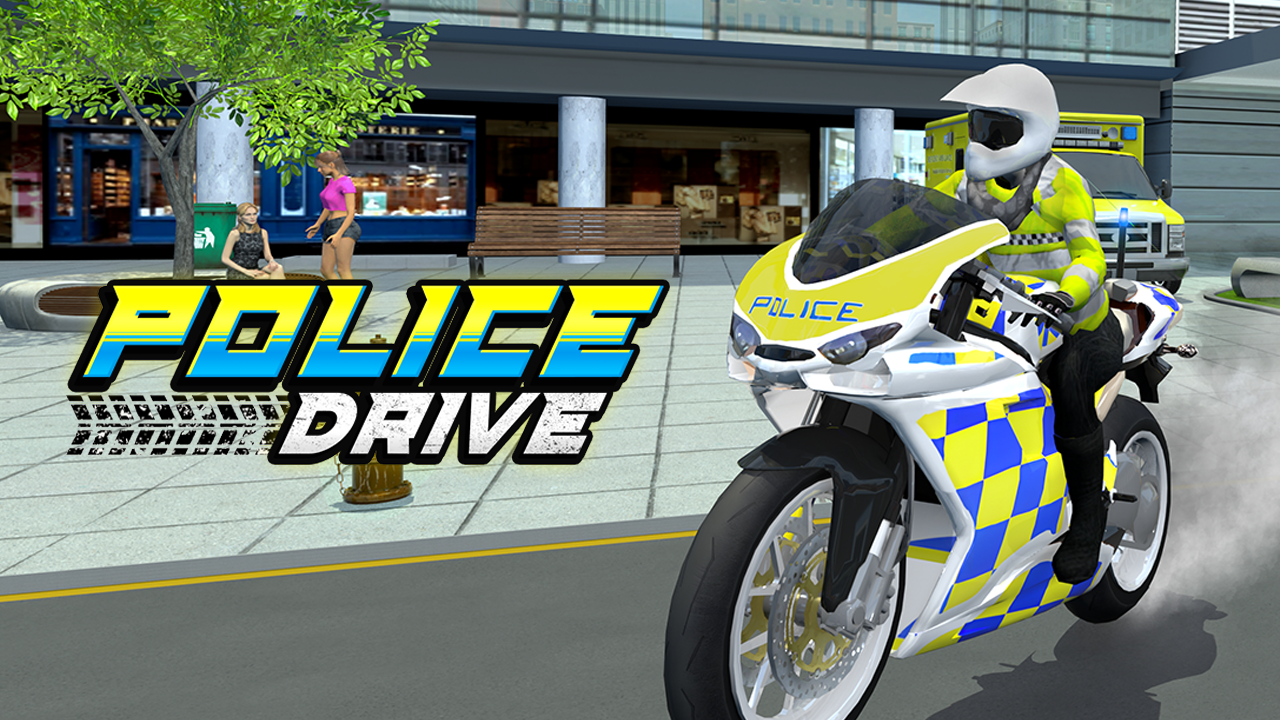
In this game, you drive police vehicles through a city, chasing criminals and patrolling the streets. You switch between a patrol car and a police motorcycle while navigating busy traffic and completing missions. The game runs in the browser, allowing you to play without downloads on Skiioo.
Police Drive challenges your ability to steer carefully and react quickly as you manage speed and avoid obstacles. The game data lists controls for keyboard and touch, making it accessible to various players.
About Police Drive
Police Drive puts you in the driver’s seat of law enforcement vehicles with an emphasis on speed and vehicle control. You pursue suspects, patrol city streets, and complete missions that involve high-speed chases and careful driving. The game features upgrades to improve your vehicle’s speed, handling, and durability, which helps tackle more demanding challenges. It is part of the car games collection and fits into the action genre.
Provider metadata lists the developer as Third-party. The gameplay centers on vehicle control, survival, and aiming for high scores, matching tags like car, control, highscore, and survival. Mobile support is listed for iOS and Android, but performance may vary by device and browser.
How to Play Police Drive
The goal is to drive carefully through traffic, avoid obstacles, and either reach the finish or achieve the highest possible score. You control acceleration, braking, and steering using either the keyboard or touch controls.
- Use arrow keys or WASD to accelerate, brake, and turn.
- Touch controls are available for mobile device play.
- Additional controls, such as activating the police siren, may appear during the game.
Police Drive Gameplay
You start by choosing between a patrol car and a police motorcycle to navigate a city filled with traffic and criminals. The game challenges your driving skills by requiring quick reactions and smart maneuvering to chase suspects who try to escape. Traffic conditions and road layouts change, keeping each pursuit different.
Upgrading your vehicles improves their performance in speed, handling, and durability, allowing you to handle tougher missions. The controls separate acceleration and braking on one side of the screen and steering on the other, adapting to both keyboard and touch input.
Features
The game offers driving challenges focused on vehicle control and high-score attempts, along with upgrades and missions designed around police pursuits.
- Fast driving and vehicle control challenges.
- Replayable missions for high-score chasing.
- Switch between police car and motorcycle.
- Vehicle upgrades for speed, handling, and durability.
- Simple controls with separate steering and speed management.
Tips and Tricks
- Use the keyboard or touch controls to maintain steady speed and avoid collisions.
- Switch between the car and motorcycle to find the best vehicle for different traffic conditions.
- Focus on upgrading vehicle handling to better navigate crowded streets.
- Pay attention to changing road layouts to anticipate turns and obstacles.
- Use the police siren strategically to enhance pursuit situations when available.
Games similar to Police Drive
If you enjoy controlling vehicles and chasing high scores, these games offer related challenges with similar driving and action elements.
Troubleshooting
If Police Drive does not load, try these quick fixes:
- Refresh the page and restart the game.
- Check your internet connection.
- Disable browser extensions that may block embedded games.
- Update your browser.
- Try another browser or device.
Game Details
- Runs in the browser with an internet connection required.
- Category: Car games
- Provider metadata lists the developer as Third-party.
- Mobile support is listed for iOS and Android, but performance can vary by device and browser.
- Controls include keyboard (arrow keys/WASD) and touch input for acceleration, braking, and steering.
FAQ
Is Police Drive free to play?
Yes, the game is free to play directly in your browser on Skiioo.
Do I need to download anything to play Police Drive?
No downloads are required; the game runs in the browser with an internet connection.
What controls do I use to play Police Drive?
You use arrow keys or WASD on the keyboard to accelerate, brake, and steer. Touch controls are also supported for mobile devices. Additional controls may appear during gameplay.
Can I play Police Drive on mobile devices?
Mobile support is listed for iOS and Android devices, but performance may vary depending on your device and browser.
How do vehicle upgrades affect gameplay?
Upgrades improve your vehicle's speed, handling, and durability, helping you perform better in tougher missions and maintain control during high-speed chases.
Comments
No comments yet. Be the first to comment.