






Play Red Ball 4 Online for Free
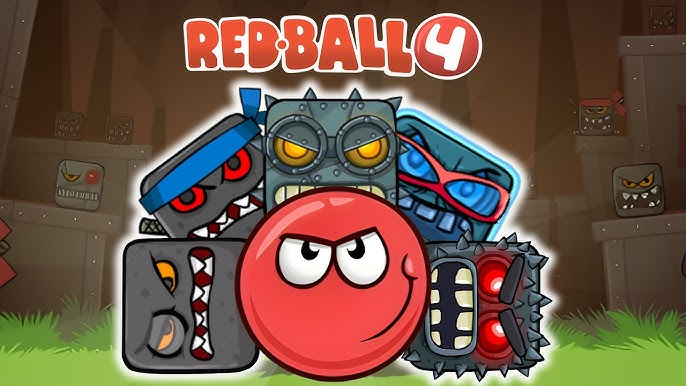
In this game, you control a red ball that rolls, jumps, and dodges various dangers while moving forward through different stages. Your objective is to avoid traps and outsmart cube-shaped enemies as you reach the end of each level. The game runs in the browser, allowing you to play on desktop without additional downloads.
Red Ball 4 is available on Skiioo, where you can access it easily and play without installation. Mobile support is listed for iOS and Android, so it may work on mobile browsers depending on your device.
About Red Ball 4
This title is a casual game that combines platforming with puzzle elements. You navigate obstacle courses that require timing and precise control. The challenges include bouncing on moving platforms, pushing boxes, activating switches, and jumping over gaps. Provider metadata lists the developer as Third-party.
The game mixes skill and casual gameplay with tags like timekiller, highscore, control, and relax. Levels vary from caves and forests to factories and outer space. Collecting hidden stars rewards players with a gold medal, encouraging replay to improve scores.
How to Play Red Ball 4
The main goal is to move through each stage and reach the end safely by rolling forward and avoiding obstacles. You jump and dodge traps while collecting rewards along the way. Controls may vary, but typically include:
- Arrow keys or WASD for movement and jumping
- Additional controls might appear within the game interface
These controls support precise timing and positioning, which are essential to navigate the levels successfully.
Red Ball 4 Gameplay
Gameplay centers on avoiding cube-shaped enemies that cannot be defeated directly. Instead, you use timing and the environment to bypass threats. Some parts require careful jumps over gaps or onto moving platforms. Other sections involve pushing boxes and activating switches to progress.
The game changes scenery regularly, offering variety in visual settings and obstacle types. It combines elements of skill and puzzle-solving, with some levels focusing more on precise movement and others on thoughtful interaction with the environment.
Features
The game offers a mix of obstacle courses and timing challenges tailored around the red ball character.
- Obstacle courses that require timing and precision controls
- Replayable challenges to improve your high score
- Varied environments including caves, factories, forests, and outer space
- Hidden stars in levels to collect for additional rewards
- Gameplay designed specifically around the rolling and jumping mechanics of the red ball
Tips and Tricks
- Pay attention to the movement patterns of enemies before attempting to pass them.
- Use timing carefully when jumping to avoid falling into gaps or traps.
- Collect stars when possible to earn gold medals and improve your score.
- Take advantage of switches and boxes to create safe paths or disable hazards.
- Practice levels multiple times to memorize obstacle layouts and improve control.
Troubleshooting
If Red Ball 4 does not load, try these quick fixes:
- Refresh the page and restart the game.
- Check your internet connection.
- Disable browser extensions that may block embedded games.
- Update your browser.
- Try another browser or device.
Game Details
- Runs in the browser with an internet connection required.
- Category: Casual games
- Provider metadata lists the developer as Third-party.
- Mobile support is listed for iOS and Android, but performance can vary by device and browser.
- Controls typically include arrow keys or WASD for movement and jumping; additional controls may appear in-game.
FAQ
Is Red Ball 4 free to play?
Yes, the game is free to play in the browser on Skiioo.
Do I need to download anything to play Red Ball 4?
No download is required; the game runs directly in your web browser.
What is the main objective in Red Ball 4?
The goal is to roll through each level, avoid traps and enemies, collect rewards, and reach the end safely.
Can I play Red Ball 4 on mobile devices?
Mobile support is listed for iOS and Android, so it may work on mobile browsers, but performance and compatibility can vary depending on your device.
What controls do I use to play the game?
Typically, you use arrow keys or WASD to move and jump, but additional controls may appear inside the game interface.
Comments
No comments yet. Be the first to comment.